Factsheet
- Developer
- bioblaze
- Type
- Application
- Status
- development
- Platforms
- windows x86_64, linux x86_64
- Price
- Free
- Store page
- https://bioblaze.blazium.games/rune-interface
Description
RUNE Node Editor
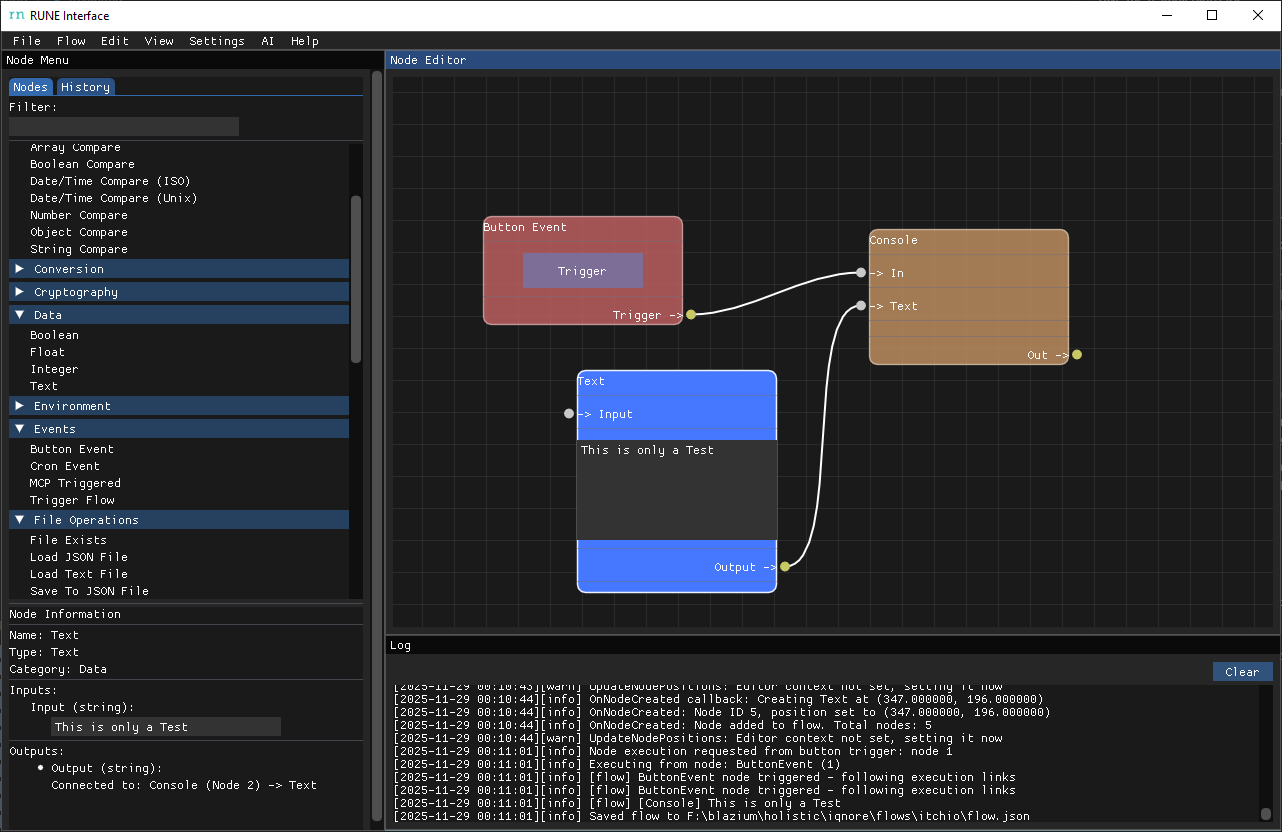
Build flows visually without writing boilerplate. RUNE lets you drag out Branch, Sequence, Button Events, Session State helpers, and any custom Luau-driven nodes onto a canvas, wire them together, and run the flow immediately.
What makes it easy:
- Guided first-run setup picks cache + flows folders so every asset lands where it belongs.
- Docked layout: flow list on the left, full node graph on the right with searchable node menu + per-node details.
- Built-in Luau runtime, logger, and session state inspector so you can test nodes live.
- Import/export flows as single `.flow` packages for sharing, versioning, or sending to the CLI runner.
- Per-flow settings (name, version, metadata) plus record folders that capture state snapshots for every run.
- MCP server integration: connect AI tools like Cursor to trigger workflows remotely.
- Custom nodes: create your own nodes with YAML definitions and Luau scripts.
- Multi-language support: translate the interface using .po files.
Getting started:
- Download the Windows build from this itch.io page.
- Unzip anywhere and double-click `RUNE.exe`.
- Pick your cache + flows directories when prompted.
- Create a new flow or open an existing one from the flows list, then drag nodes onto the canvas and hit the run buttons to test.
System notes:
- Windows 7/10/11 64-bit with a GPU that can handle Dear ImGui/SDL3 rendering.
- Flows and cache live wherever you point the setup wizard (external drives work fine).
- Works great alongside the `runecli` tool for headless execution once you export a `.flow` bundle.'
runecli Flow Runner
Headless companion to the RUNE editor. `runecli.exe` loads the same flows you design in the editor and runs them on servers, build agents, or scheduled tasks.
Why you’ll like it:
- Execute any exported flow by ID: `runecli --flow-id sample_flow`.
- Import `.flow` bundles straight into your flows folder with `--import`.
- Validate bundles before sharing: `runecli --validate myflow.flow` checks `flow.json`, nodes, and referenced files.
- Respect your environment: point cache/flows directories via `RUNE_CACHE` / `RUNE_FLOWS` env vars or let it read the config.
- Tune logging on the fly with `--log-level info|debug|warn|error` and `--flow-log-mode disabled|per-flow`.
Quick start:
- Download the CLI zip from this itch.io page and unpack it near your flows.
- Place exported `.flow` packages (from the editor) where runecli can read them, or import them with `--import`.
- Run `runecli --flow-id my_flow` to start from the `TriggerFlow` node. Exit codes mirror flow success/failure so you can script around them.
Tip: Pair runecli with Windows Task Scheduler, GitHub Actions self-hosted runners, or any CI/CD job to keep your RUNE automations running without opening the GUI.
Resources
Full documentation, guides, and API reference available at Docs . Contribute translations, custom nodes, or documentation improvements at GitHub.
Images
Recent updates
- Untitled Build 2026-06-21
- Untitled Build 2026-03-13
- Untitled Build 2026-03-12
- Untitled Build 2026-03-12
- Untitled Build 2026-03-12